
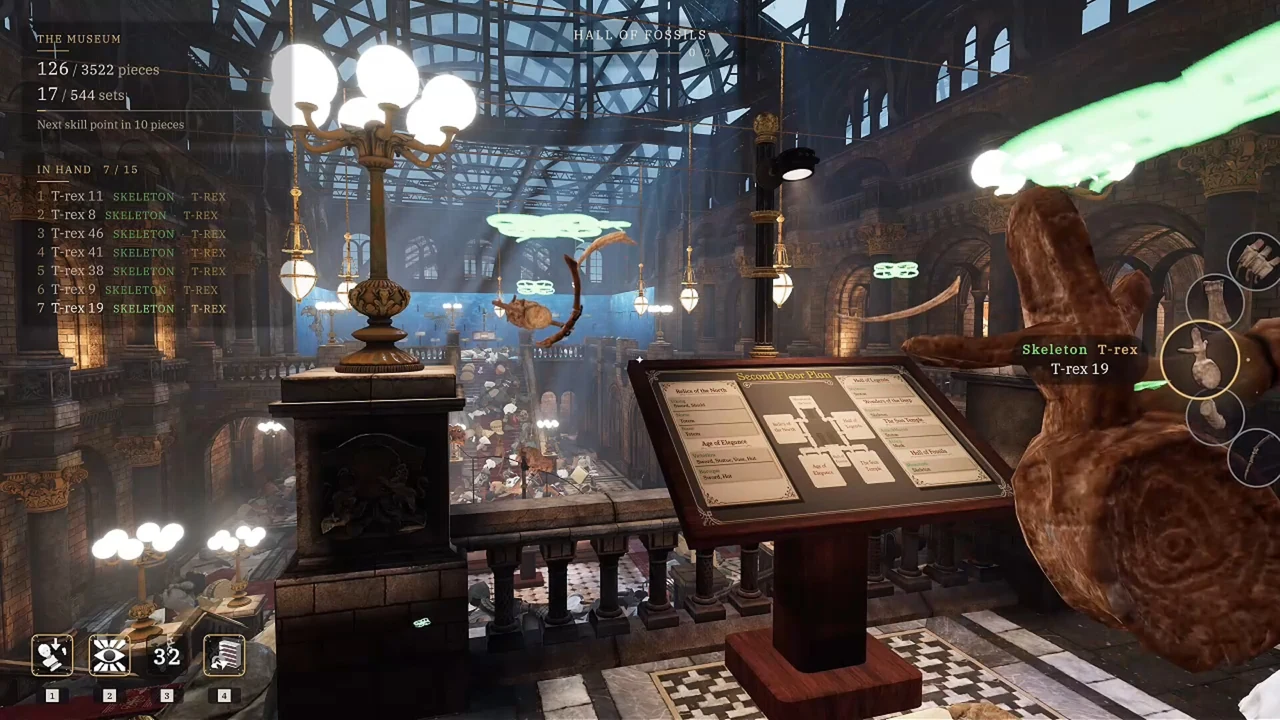
Why the highlighted pieces can look wrong
Start with the fragment you are holding, rather than the exhibit you are looking at. In the reported case, the player looked at one statue but saw pieces belonging to another set light up. The developer's answer was to pick up a piece from the intended set and use the skill while holding it. That is the first check to make before treating the highlight as a bug.
This does not establish every detail of inventory selection. If you carry several fragments, make sure the fragment you intend to use is the one you are actively holding or selecting when you activate the skill. We have not verified a hidden targeting priority for every multi-item situation. A simple test with one clearly identified target fragment is easier to interpret than a test with many unrelated items.
A clean test for Insight
- Identify an unfinished exhibit you can recognize.
- Pick up a fragment belonging to that exhibit.
- Check the held fragment and its name rather than relying on the direction you are facing.
- Activate Insight while holding that fragment.
- Inspect the highlighted set and compare it with the intended object.
- If it still targets the wrong set, note the held fragment, the intended exhibit, and what lit up.
Do not perform this active-skill test in a save you are deliberately keeping for Nobody Asked for Help. The achievement guide explains the active-use restriction. Use a normal run for learning tools if preserving the manual challenge matters to you.
Choose a tool for the obstacle in front of you
The official game description distinguishes tools that locate matching pieces, bring pieces to you, and place the held fragment. Their roles answer different problems. If a fragment is visible but difficult to align, locating more fragments is not the immediate task. If you have no matching fragments nearby, placement assistance will not replace the search for a target piece.
Think of the decision in three stages: find, collect, fit. First decide which stage is currently blocking you. Then choose a tool whose in-game description matches that stage. This is a planning method, not a claim that every tool has the same cost, cooldown, or unlock requirement.
The names in the store description and the names a player uses in a discussion are not always identical. The store describes an AR visor and an auto-snap tool; a player may refer to a numbered skill or an auto-place ability. Compare the actual function in your installed game instead of assuming that a number quoted in an old post uniquely identifies the same tool forever.
Avoid confusing visibility with targeting
If you have selected the correct fragment but cannot distinguish the highlighted pieces, try visibility settings before repeating the skill activation. Ghost color and Distinct Colors address readability, while the flashlight helps with a dark search area. They do not substitute for selecting the correct target fragment.
Use the visibility guide to test contrast on the same object. If a change makes the outline easier to see, you have identified a display problem rather than established that the skill previously selected the wrong set. Keeping those tests separate makes an eventual bug report more precise.
Upgrades and cooldown advice
An official late-September update reduced higher-level Drone and Auto Place cooldowns. It does not provide a complete current table of costs, levels, or seconds. We therefore do not prescribe a numerical purchase order or claim a universal best upgrade path.
Read the description and displayed cost of your next upgrade in the game. Spend according to the task you repeat most often: searching, collecting, or aligning. If you are comfortably finding fragments but spending most of a session aligning them, that is a different bottleneck from not recognizing which room a fragment belongs to. Treat your recent work as a guide to priorities, rather than copying a build intended for a different stage of restoration.
When to send a report
If the clean target test still gives the wrong result, report from the affected save. Include the exact held-fragment label, the intended exhibit, the skill you activated, and the unexpected highlighted object. Mention whether the problem survives a current game update. Do not report a skill as broken solely because it did nothing while you were looking at a stand with no target fragment held.